

Laravel hosting
Laravel on your own servers, set up for you
Create a server at your cloud provider, pick your repository and push. Nginx, PHP-FPM, your database, Redis, queue workers and the scheduler are set up for Laravel, and every deploy goes live without downtime.
From repository to production in three steps
- 1
Create a server
At Hetzner Cloud, DigitalOcean, Vultr, Akamai, AWS or Google Cloud, or on any Ubuntu 24.04 VPS. Choose PHP 8.1 to 8.5 and MySQL, MariaDB or PostgreSQL; Redis and Node.js come with it.
- 2
Create a Laravel site
Pick the Laravel preset and your repository. The site gets a
.envwith database credentials filled in and a freeon-deploy.linkaddress that works right away. - 3
Push
Every push to your branch builds a new release: Composer, your frontend build,
migrate --forceandoptimize, then an atomic switch.
Site features
The Laravel ecosystem, one switch each
Switch on a tool and Vimonto Deploy writes the Supervisor process, cron entry, Nginx rules and `.env` keys it needs, and restarts it after every deploy.
Horizon
Runs
artisan horizonunder Supervisor and sendshorizon:terminateafter each deploy, so jobs finish on the old code first.Reverb
Runs your WebSocket server on its own address, such as
ws.shop.example.com, with Nginx rules, DNS, HTTPS and the.envkeys filled in.Pulse
Keeps
pulse:checkrunning so the Pulse dashboard shows your server's CPU, memory and disk.Inertia SSR
Runs the server-side renderer and restarts it on every deploy, for faster first loads and better results in search engines.
Nightwatch
Keeps the Nightwatch agent running with your token in
.env, so your app reports to Laravel Nightwatch.Scheduler
A cron entry runs
schedule:runevery minute in the live release. Add heartbeats to know when a job stops running.
Everything for the site in one menu
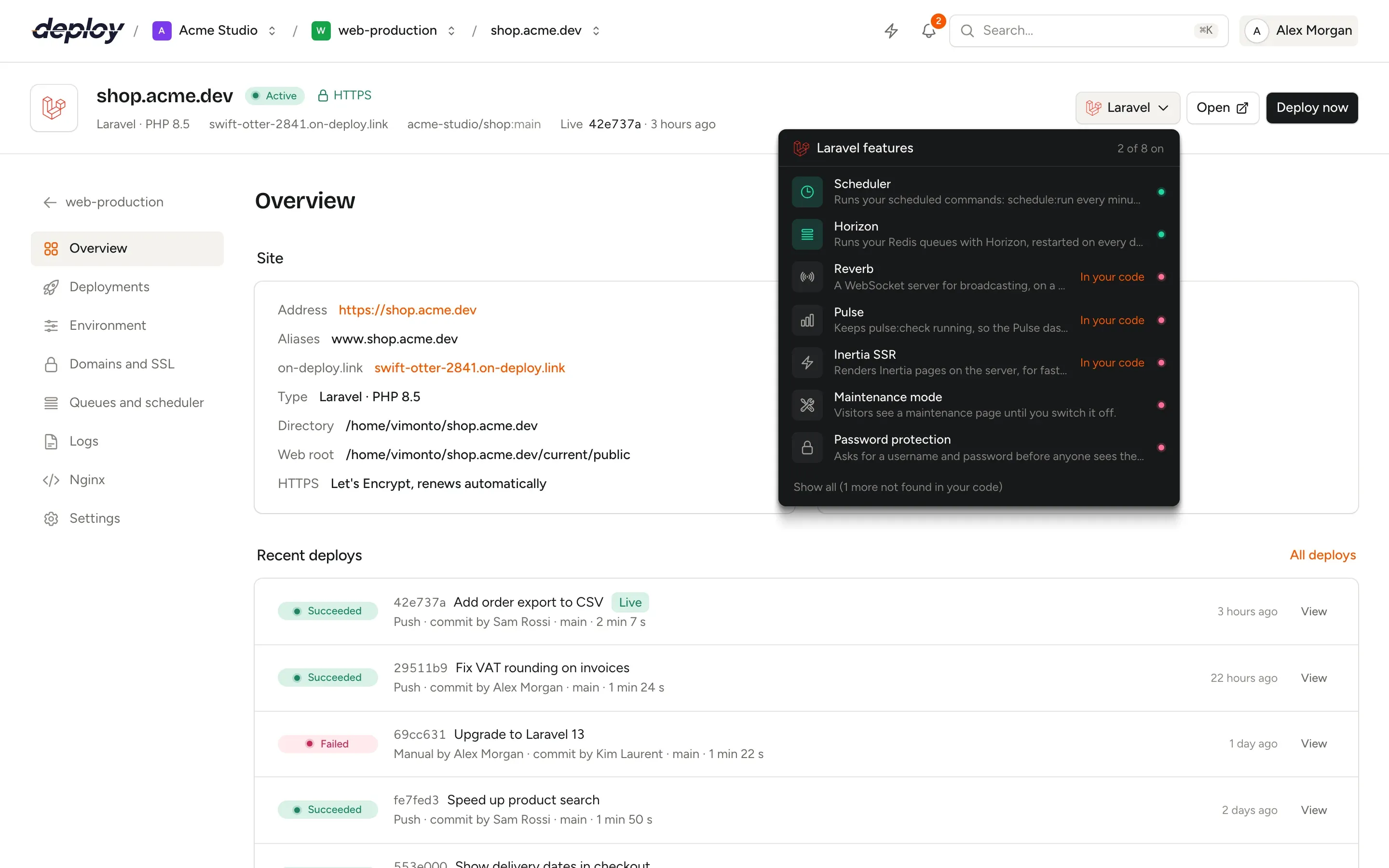
Queues, storage and .env, handled
Queue workers run under Supervisor as the site's user and get queue:restart after every deploy. storage/ and .env live in a shared directory, so uploads and settings survive each release.
On the first deploy, your .env.example becomes the base of the production .env, with the generated values filled in. Every later change is kept, so you can restore any of the last 50 versions.
- Several PHP versions side by side; each site picks its own
- Isolated sites with their own Linux user and PHP-FPM pool
- Monorepos: point the site at the app's folder
- Spread traffic over several app servers with a load balancer
Laravel hosting questions
Which Laravel and PHP versions are supported?
Any Laravel version that runs on PHP 8.1 to 8.5. Install several PHP versions on one server and choose one per site; the deploy script follows it through $VIMONTO_PHP.
Can I run Horizon and plain queue workers?
Use one or the other per site. When you switch Horizon on while the site has its own queue workers, Vimonto Deploy warns you, so jobs are not picked up twice.
Does it work with Statamic?
Yes. Statamic has its own preset and the same Laravel switches, and its deploy script also warms the Stache. See Statamic hosting.
What does it cost?
The free plan covers 1 server and 3 sites with every feature. Premium is €15 per month per organization, without limits. Your servers are billed by your cloud provider.
Your next deploy could be live before your coffee is.
Create an organization, connect a server and push. That is all.